
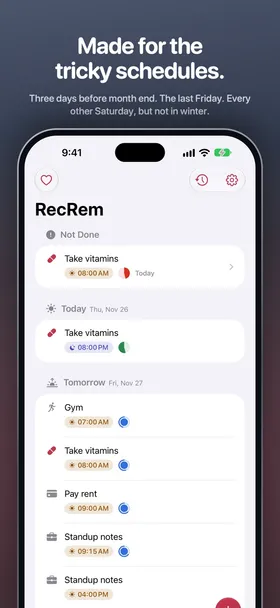
Some things don’t happen “every week”. Rent is due three days before the end of the month. Book club is the third Thursday. The ferns need water every other Saturday, but not in winter. RecRem lets you set up reminders like these by simply describing them.
Say it the way you’d say it
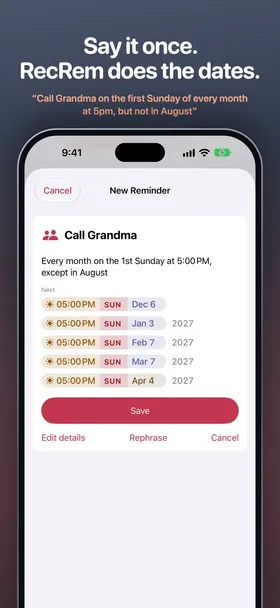
Type or speak a sentence, like “Standup notes every weekday at 9:15, and on the last Friday of the month also at 4pm”. RecRem turns it into a schedule and shows you the next dates before anything is saved, so you can see at a glance that it understood.
Schedules other apps can’t do
- Days before or after a date: “3 days before the end of every month”
- The first, second, third or last weekday of the month
- Every other week, every 3 months, or every 2 years
- Several times a day, or different times on different days
- Exceptions: “but not in December or January”, or skipping a single date
- Start and end dates, or a set number of times
Fine-tune anything
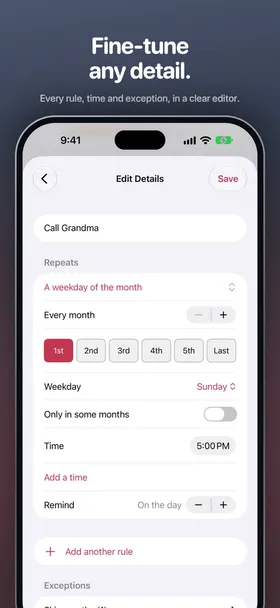
A clear editor shows every rule, time and exception, so you can change any detail without starting over. You can also change a reminder by saying what’s different: “move it to 6pm” or “skip next week”.
Reminders that get done
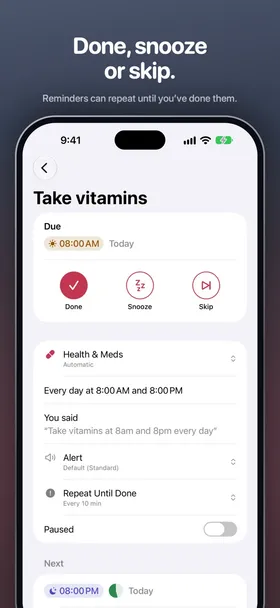
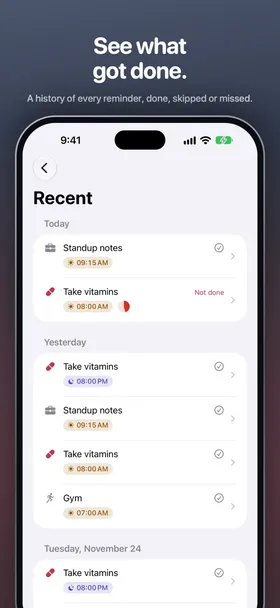
Mark a reminder done or snooze it right from the notification. For the important ones, turn on Repeat Until Done and RecRem keeps reminding you until you mark it done. Recent keeps a history of every reminder: done, skipped or missed.
Private by design
No account, no ads, no tracking and no server. Sentences are understood by Apple’s on-device model, and speech is recognized on your device. Your reminders never leave it unless you export them.
Free, with optional tips
Everything is free. A tip unlocks alternate app icons and matching themes: Concrete, Paper, Ocean and Terminal.